Know which Stripe customers need attention.
A failed payment. A card about to expire. A downgrade nobody noticed in June. It's all in your Stripe account already. Payer Vitals puts it on the customer's page.
 Chrome extension · Q4 2026
€29 today covers your first six weeks · Refundable until launch · €19/month after
Money you haven't lost yet
A card that expires in three weeks is still recoverable. You just have to know about it.
History, beside the customer
A downgrade last June explains a lot about how someone is behaving today.
No second dashboard
Nothing new to remember to open. It appears on the Stripe page you were already on.
See why a customer is at risk
Payer Vitals combines payment, subscription, and plan-history signals into one customer view.
Select a customer to inspect their risk signals.
Recent activity across your account
- 2d agoTallow & Co. — card declined
- 4d agoTallow & Co. — subscription past due
- 5d agoAcme Inc. — payment failed
- 9d agoAcme Inc. — downgraded from Scale
- 2w agoAcme Inc. — card expiring in 17 days
- 3w agoNorthwind Labs — upgraded to Scale
- 4w agoTallow & Co. — payment failed
- 6w agoNorthwind Labs — invoice paid, €890
What feeds the score
- Failed and declined charges
- Cards expiring within 30 days
- Plan downgrades and cancellations
- MRR trend over the trailing 90 days
- Invoice payment history and tenure
All of it comes out of your own Stripe account. Nothing is added from anywhere else.
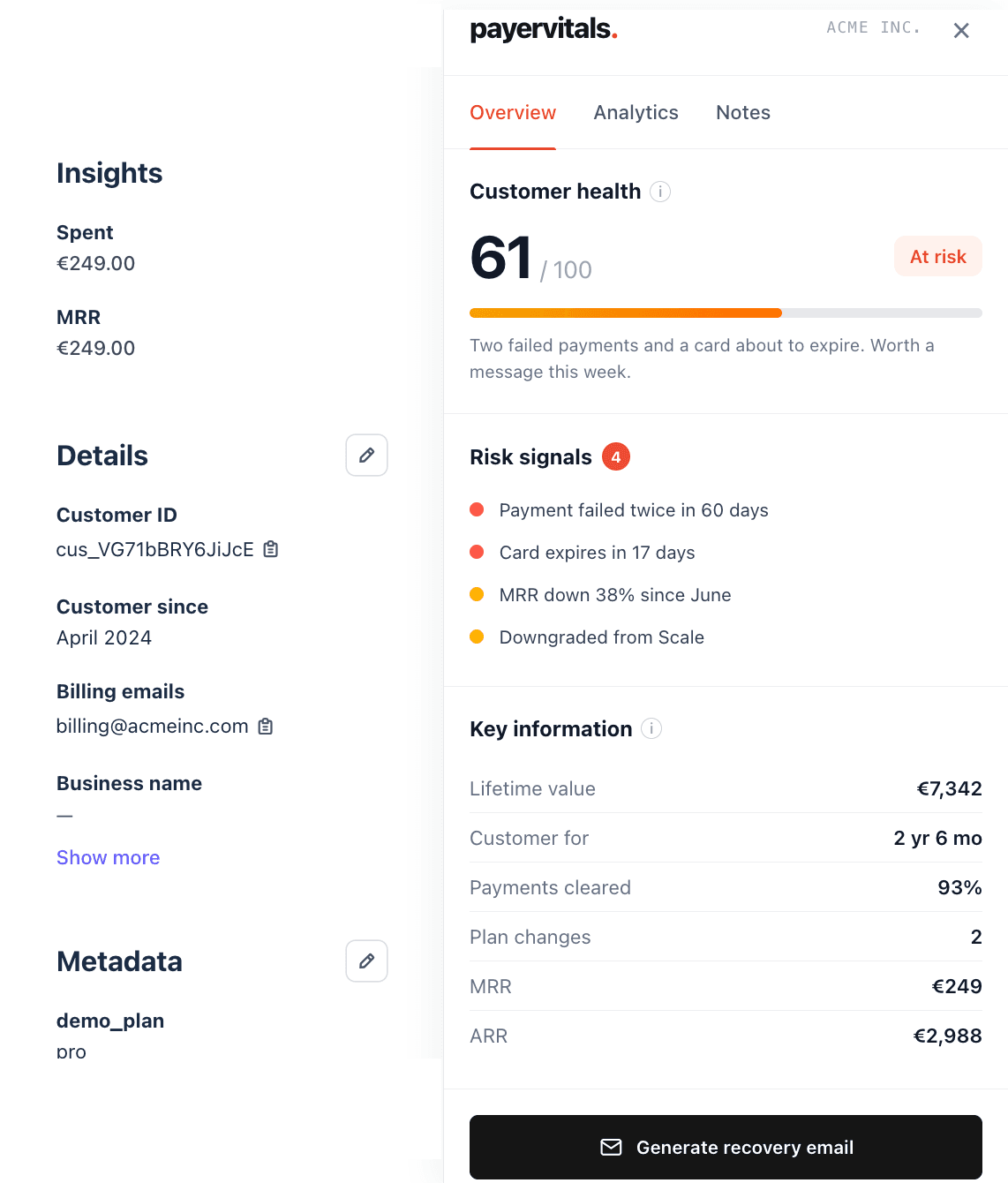
Two failed payments and a card about to expire. Worth a message this week.
90-day MRR trend
- Critical: Payment failed twice
- Critical: Card expires in 17 days
- Watch: MRR down 38% since June
- Watch: Downgraded from Scale
- Lifetime value
- €7,342
- Customer since
- 31 months
- Payment success
- 97%
- MRR
- €249
How it works
- 01
Install the browser extension
A free Chrome extension. It wakes up on Stripe dashboard pages and stays asleep everywhere else.
Coming soon to the Chrome Web Store. - 02
Create a read-only restricted key in Stripe
In Stripe: Developers → API keys → Create restricted key. Grant read access to the resources Payer Vitals uses, nothing else.
- 03
Paste it once and use Payer Vitals inside Stripe
The key stays in your browser. There's no account to create and no password to remember.
Setup takes about 90 seconds. No separate Payer Vitals account required.
Your Stripe data stays in your browser.
Payer Vitals runs as an extension against a key you create and control.
- Read-only Stripe access
- It can't charge anyone, refund anyone, or move money. The full list of scopes is below.
- No data sent to Payer Vitals
- The extension calls Stripe from your browser. There isn't a Payer Vitals server for your data to reach.
- No access after the browser closes
- Close the browser and it stops. Nothing runs in the background, and nothing syncs while you're away.
Exact Stripe permissions requested
This is the complete list. Payer Vitals never requests write, charge, payout, or refund scopes.
Reserve founding access
Planned early access: Q4 2026
- —€29 today, which covers your first six weeks
- —Fully refundable until launch, without telling me why
- —€19/month after that, for as long as you stay
Limited to 50 founding memberships
- —Nothing to pay
- —One email, on the day it launches
- —Standard launch price: €39/month
Frequently asked questions
What happens if Payer Vitals never launches?
You get your €29 back. Reply to the receipt any time before launch and I'll refund it.
How much setup is required?
Install it, make a restricted key in Stripe, paste it in. Ninety seconds, and you never do it again.
Which browsers are supported?
Anything built on Chromium: Chrome, Arc, Brave, Edge. Firefox and Safari if founding members ask for them.
What Stripe permissions does Payer Vitals need?
Read access to customers, subscriptions, invoices and charges. It never asks for write, charge or payout scopes. The exact list is in the Security section.
Can I cancel or request a refund?
Before launch, a full refund any time, without telling me why. After launch you can cancel the subscription whenever you want.